Introduction
You can detect most hidden cameras in under 15 minutes using only your phone. A flashlight shows the glint of a lens, your phone camera can see infrared lights, and a Wi-Fi scan can reveal connected devices you weren’t told about.
Hidden cameras are now cheap, tiny and easy to buy online. Some are built into phone chargers, smoke detectors and wall clocks, with lenses smaller than a pinhead. News reports from across India regularly describe cameras found in hotel rooms, rented flats, PG accommodation and shop trial rooms.
This guide explains where these cameras are usually hidden and gives you 8 simple checks you can do yourself. It also covers a quick checklist for hotels and Airbnbs, what to do if you find a camera, and when it is worth calling a professional.
Where Are Hidden Cameras Usually Concealed?
A camera needs a clear view of the room and, in most cases, a power source. So start with objects that face the bed, shower, toilet or changing area, and objects that are plugged in.
| Common hiding place | Why it’s used |
| Smoke detectors and fire alarms | High up, overlooking the whole room, and rarely touched |
| USB phone chargers and adapters | Always plugged in, so the camera never runs out of power |
| Wall clocks and digital alarm clocks | Face the bed directly and nobody questions them |
| Air purifiers, AC vents and set-top boxes | Have grilles and small holes that hide a lens |
| Mirrors (two-way) | A camera can sit behind the glass in bathrooms and trial rooms |
| Photo frames, showpieces and soft toys | Decorative items that can be placed anywhere |
| Light fittings, bulbs and switchboards | Have a built-in power supply |
| TVs and Wi-Fi routers | Already have small lights and holes, so an extra one goes unnoticed |
| Pens, tissue boxes and bags | Easy to move into place quickly |
Look especially for anything that seems out of place: a second smoke detector, a charger with nothing plugged into it, or an object pointing at an odd angle towards the bed or shower.
How to Detect Hidden Cameras: 8 Simple Checks Using Your Phone
Do these checks in order. The first three need nothing but your eyes and your phone’s flashlight, and they find most cameras.
1. Do a slow visual sweep of the room
Stand in the middle of the room and turn slowly through a full circle. Look at every object that faces the bed, bathroom or seating area. Watch for tiny black dots, small holes that don’t match the object’s design, and thin wires that lead nowhere.
Then check the items from the table above one by one. Pick them up, turn them over and look for a lens, a memory card slot or a USB port where there shouldn’t be one.
2. Switch off the lights and look for small LEDs
Close the curtains and turn off all the lights. Many cameras have a tiny red, green or blue light that shows they are powered on or recording. Some cheaper models also have a faint glow from their night-vision lights.
Take a full minute to let your eyes adjust, then scan the room again. Note any light you can’t explain, such as one that isn’t part of the TV, AC or router.
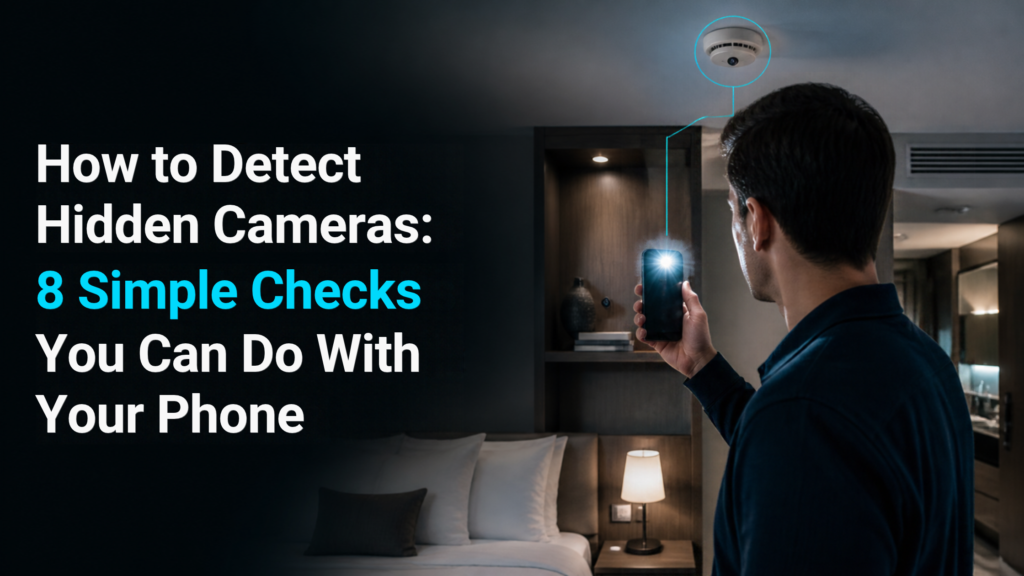
3. Use your phone flashlight to find the lens
This is the most reliable home method. A camera lens is made of glass, and glass reflects light straight back at you as a small, sharp glint.
- Keep the room dark.
- Turn on your phone’s flashlight and hold it at eye level, close to your face.
- Move the beam slowly over every surface, including smoke detectors, clocks, chargers, vents, shelves and decorations.
- Look for a tiny blue or purple pinpoint of reflected light that stays in the same spot as you move.
If you see a glint, look closer from a different angle. A real lens keeps reflecting light; a speck of glitter or a screw head usually won’t.
4. Use your phone camera to spot infrared lights
Many hidden cameras use infrared (IR) lights to record in the dark. Your eyes cannot see infrared, but many phone cameras can.
- Turn off the lights.
- Open your phone camera. Use the front (selfie) camera if you can, because many rear cameras have a filter that blocks infrared.
- Scan the room slowly on your screen.
- Look for small spots that glow white or purple on the screen but not to your eye.
Test it first by pointing your TV remote at the phone camera and pressing a button. If you see the remote’s tip flash on screen, your phone can detect infrared. Note that this check only finds cameras with night vision switched on.
5. Scan the Wi-Fi network for unknown devices
Most modern spy cameras connect to Wi-Fi so the person who planted them can watch remotely. You can see what is connected to the network you’re on.
- Connect to the hotel or property Wi-Fi.
- Install a network scanner app such as Fing (free on Android and iPhone).
- Run a scan and look at the device list.
- Look for names containing “cam”, “IPC”, “IP camera”, “HD”, “Spy” or brand names you don’t recognise, or devices listed as “unknown”.
A large hotel network will show many devices, so this works best in a homestay, Airbnb or rented flat. Also check the list of available Wi-Fi networks. A camera that is not yet set up often broadcasts its own network with a name made of letters and numbers.
6. Do the fingernail test on mirrors
Two-way mirrors can hide a camera behind the glass, especially in bathrooms and trial rooms. Press your fingernail against the mirror.
- If there is a small gap between your nail and its reflection, it is likely a normal mirror.
- If your nail seems to touch its reflection directly, with no gap, be suspicious and inspect further.
This test isn’t foolproof, because some normal mirrors also show no gap. For a second check, turn off the lights, press your phone flashlight flat against the glass and look for a space behind it. Also knock on it: a mirror mounted on a wall sounds flat, while one with space behind it sounds hollow.
7. Listen for buzzing and check for interference
In a silent room, some cameras give off a faint buzzing or clicking sound. Turn off the AC and fan and listen near suspicious objects.
You can also make a phone call and walk around the room. Some wireless cameras cause crackling or buzzing interference on the call when you get close to them.
8. Cover or unplug anything you’re unsure about
If an object still looks suspicious and you can’t confirm what it is, you don’t need to be certain. Unplug chargers and clocks you aren’t using, turn suspicious items to face the wall, and cover smoke detectors or vents with a towel or tape for the duration of your stay.
Avoid opening or breaking anything that belongs to the hotel or owner. If you think you have found a camera, follow the steps in the section on what to do if you find one.
How to Check for Hidden Cameras in Hotels, Airbnbs and Changing Rooms
You don’t need to run all 8 checks every time. When you check into a hotel, OYO, Airbnb or homestay, this 10-minute routine covers the places that matter most.
Hotel room or Airbnb (about 10 minutes)
- Put your bags down and close the curtains before unpacking
- Check everything that faces the bed: clocks, TV, set-top box, AC unit, photo frames
- Check the smoke detector, and count them (a room rarely needs two)
- Look at every USB charger and adapter, and unplug any you don’t need
- In the bathroom, check the mirror, exhaust fan, shower area, hooks and light fittings
- Turn off the lights and do the flashlight sweep (check 3)
- Do the infrared check with your selfie camera (check 4)
- For an Airbnb or homestay, scan the Wi-Fi for unknown devices (check 5)
Under Airbnb’s rules, hosts are not allowed to have security cameras inside a listing. If you find one in an Airbnb in India, report it to Airbnb as well as the police.
Trial rooms and changing rooms (about 2 minutes)
- Do the fingernail test on the mirror (check 6)
- Look up at the ceiling corners and any vents or holes
- Check hooks, light fittings and anything mounted on the wall facing you
- Look for small holes in the walls or partition boards
If anything looks wrong in a trial room, don’t use it. Tell the store manager and ask for another room.
Do Hidden Camera Detector Apps Actually Work?
Some do, partly. Others mostly don’t. It depends on how the app works.
| Type of app | How it works | How reliable it is |
| Network scanner (e.g. Fing) | Lists devices on the Wi-Fi you’re connected to | Useful. It only finds cameras on that same network, not ones using mobile data or recording to a memory card. |
| Lens or infrared finder | Uses your camera and flash, often with a red filter on screen | Useful. It does the same job as checks 3 and 4, with a little help. |
| Magnetic or “radiation” detector | Uses the phone’s compass sensor to detect metal or electronics | Unreliable. It reacts to wiring, speakers and almost any electronic item, so you get many false alarms. |
Treat apps as a helper, not a guarantee. A camera that records to a memory card, uses no Wi-Fi and has no night-vision light can pass every app check. That is why the physical flashlight sweep matters most.
Portable RF detectors and lens finders, sold online, are a step up from apps. However, they still give false alarms in a busy room and need some practice to use well. We compare them with a professional sweep in DIY bug sweep equipment vs professional services.
What to Do If You Find a Hidden Camera
Stay calm and protect the evidence. How you handle the first few minutes can decide whether the person responsible is caught.
- Don’t touch or remove it. Fingerprints and the memory card inside can identify who planted it.
- Photograph and video it from a distance, showing where it is placed and what it points at. Note the date, time and room number.
- Cover it with a towel or cloth if you need to stay in the room until help arrives.
- Leave the room and move somewhere safe, especially if you are alone.
- Call the police on 112. Ask them to register an FIR. For a recording that may have been shared online, also report it at cybercrime.gov.in or call the cyber helpline 1930.
- Inform the hotel, owner or booking platform in writing, and keep a copy. Don’t let staff remove the device before the police arrive.
What Indian law says. Secretly watching or recording a woman in a private act is voyeurism under Section 77 of the Bharatiya Nyaya Sanhita (BNS), which replaced IPC Section 354C. A first conviction carries 1 to 3 years in prison and a fine; a repeat offence carries 3 to 7 years and a fine. Section 66E of the IT Act separately punishes capturing or sharing images of anyone’s private areas without consent, with up to 3 years in prison, a fine of up to ₹2 lakh, or both.
This is general information, not legal advice. Speak to a lawyer about your specific situation.
When to Call a Professional
The checks above are enough for a hotel stay or a trial room. A professional sweep makes sense when the risk is higher or the hiding place is better.
Consider calling an expert when:
- You suspect someone with access to your home, office or car, such as a former partner, tenant, employee or business rival
- You have found one device and want to know if there are more
- Private information keeps leaking from meetings, calls or your home
- You run a hotel, PG, hostel or office and want to prove to guests and staff that your premises are clean
- You need evidence that will stand up in a police complaint or in court
Professional teams use equipment that phones can’t match, including RF scanners, non-linear junction detectors, which find electronics even when they’re switched off, and thermal cameras. They also know where professionals hide devices, which is often not where amateurs look.
Advance Detective Agency has carried out bug sweeps and hidden camera checks for homes, offices and hotels since 2013. See our hidden camera detection services or call us for a free, confidential consultation. For a wider look at the devices involved, read our guide to hidden device security audits.
Frequently Asked Questions
How can I detect a hidden camera with my mobile phone?
Use three checks. First, sweep the dark room with your phone flashlight and look for a lens glint. Second, scan with your selfie camera for infrared lights. Third, use a network scanner app to look for unknown devices on the Wi-Fi.
How do I check for hidden cameras in a hotel room?
Close the curtains and check everything that faces the bed and bathroom, especially smoke detectors, clocks, chargers, the TV and mirrors. Then turn off the lights and do a flashlight sweep. It takes about 10 minutes.
Can I scan Wi-Fi for hidden cameras?
Yes. A free app such as Fing lists the devices on the network you’re connected to. It only finds cameras on that network, though, not ones using mobile data or recording to a memory card.
How do I know if a mirror has a hidden camera behind it?
Press your fingernail against the glass. No gap between your nail and its reflection can suggest a two-way mirror. Confirm by turning off the lights and pressing a flashlight flat against the glass to look for space behind it.
Do smart TVs have hidden cameras?
Some smart TVs have built-in cameras for video calls, usually in the top edge of the frame. In a hotel or rental, cover the camera with tape, or unplug the TV when you’re not using it.
Is it illegal to put a hidden camera in someone’s room in India?
Yes. Secretly recording someone in a private space can be punished under Section 77 of the BNS (voyeurism) and Section 66E of the IT Act, with prison terms of up to 3 years for a first offence.
How much does a professional hidden camera sweep cost?
It depends on the size of the property, the number of rooms and the city. Contact us for a free consultation and a quote for your premises.